For property managers and landlords
Property handover protocols. Done on your phone.
Meter readings, photos, room conditions and on-screen signatures – all on site, in one app. In the end a professional PDF goes to the tenant and to you.
Free to start · iPhone and Android · English and Polish
Why PZO Manager
No more paper notes, camera rolls full of photos and retyping at the office
Dozens of protocols a month should not mean dozens of hours of paperwork.
Usually
- Paper notes, then retyping them into a computer
- Photos scattered across the phone gallery
- Assembling PDFs and sending emails by hand
- No comparison with the previous protocol
With PZO Manager
- The whole protocol is filled in on your phone, step by step
- Photos attached to meters, rooms and defects
- The PDF builds itself and sending takes one tap
- Comparison with the previous protocol for the same property
How it works
From the apartment door to a finished PDF in four steps
- 1
Add a property
Address, owner, whole-unit or room-by-room rental. Set up rooms, equipment, meters and keys once – reuse them in every protocol.
- 2
Choose the protocol type
Check-in, check-out, first handover or inspection. Property details fill in automatically.
- 3
Record the condition on site
Meters, rooms and equipment one by one. Describe defects and add photos from the camera or gallery.
- 4
Sign and send
Performer and tenant sign on the screen, the PDF is generated right away and sent by e-mail.
Features
Everything you need in the field
Meter readings without mistakes
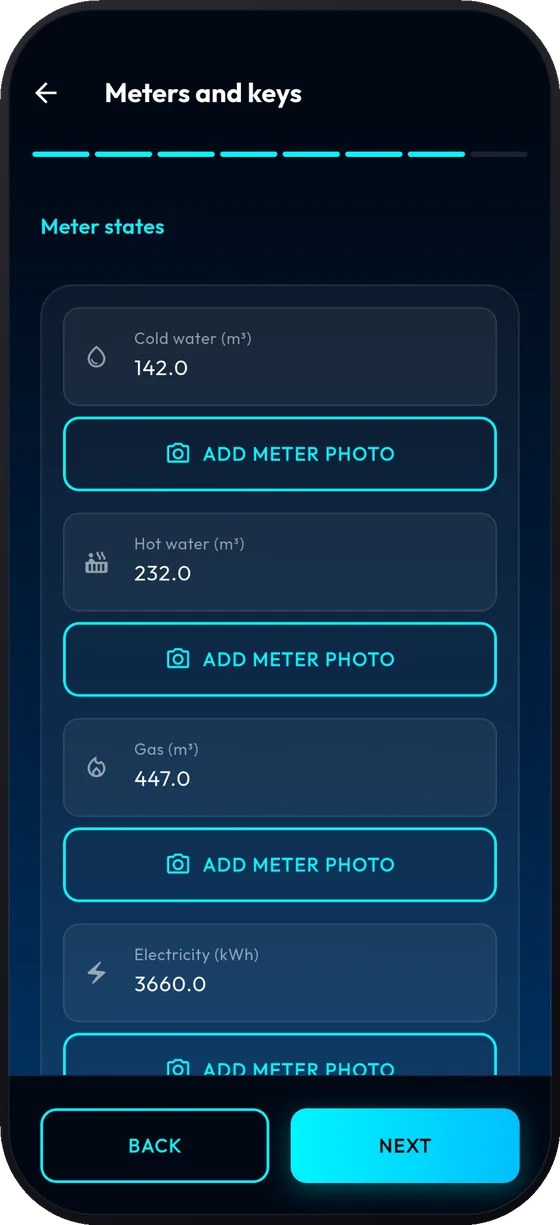
Cold and hot water, electricity, gas – attach a photo to every meter. If a new reading is lower than the previous one, the app flags it immediately and blocks you from moving on.
- A photo for every meter
- Validation against the previous reading
- Keys, chips and codes in one place
Room conditions and photos
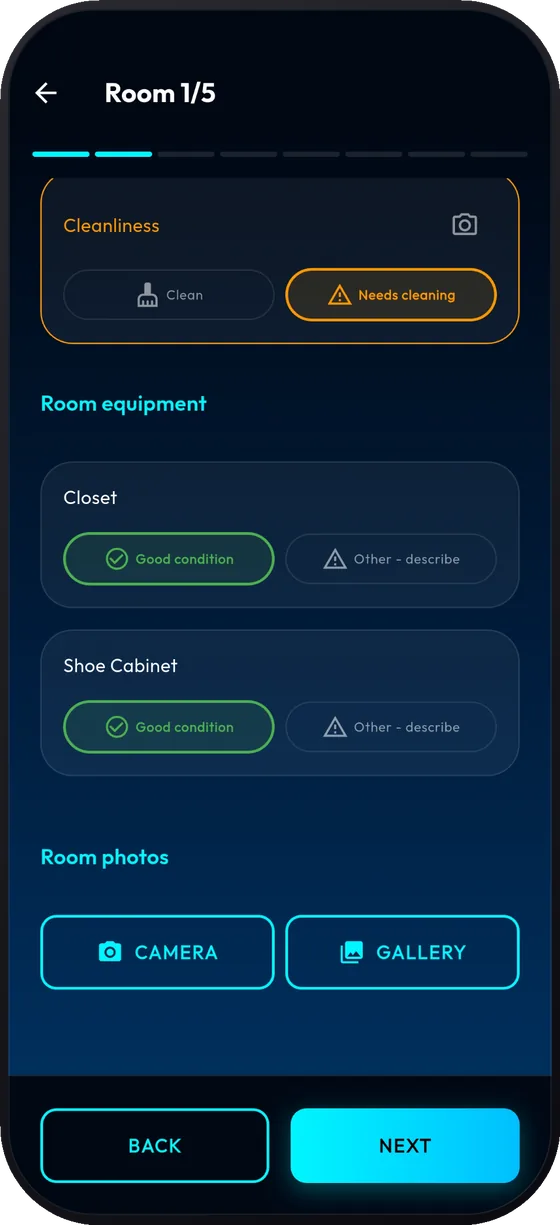
Walk through the rooms one by one. For each piece of equipment pick “good condition” or describe the defect and add photos.
- Rooms and equipment from your own setup
- Damage notes and photos for every item
- Progress always visible
Signatures on the screen
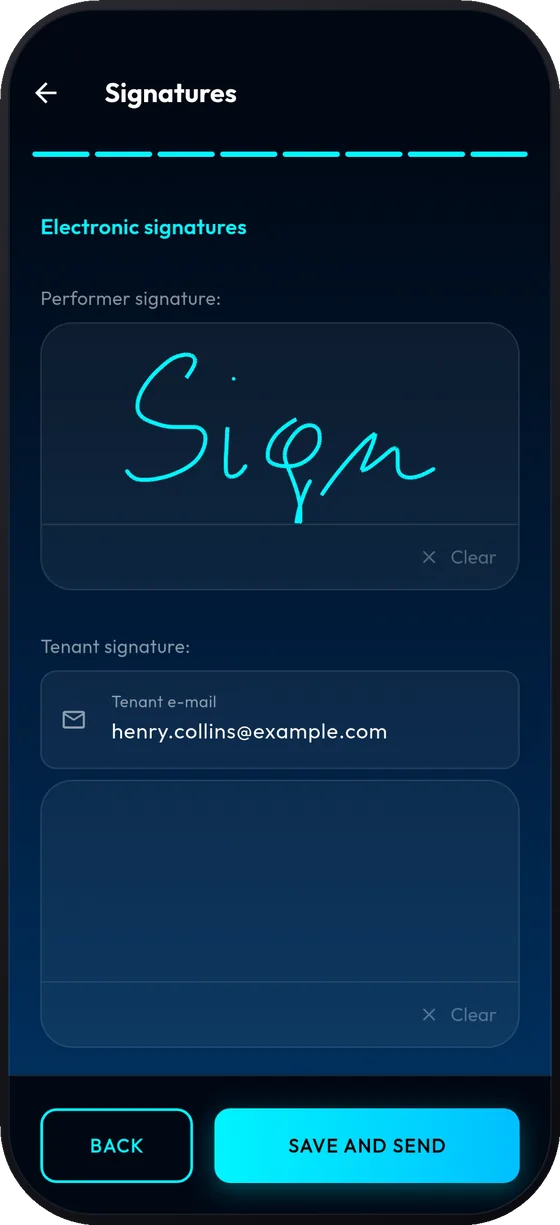
The performer and the tenant sign with a finger. Enter the tenant’s e-mail and once saved, the protocol is ready to send.
- Performer and tenant signatures
- Save and send with one button
- No more printing and scanning
A clean, ready PDF
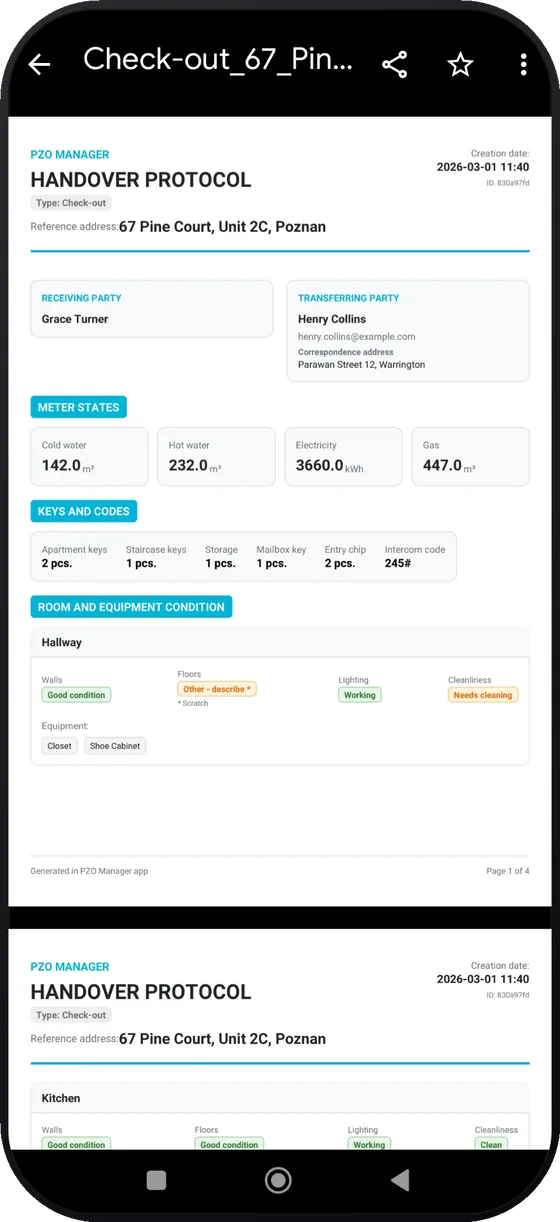
Party details, meter readings, keys, rooms, defects and photos – all in one document. On check-out you can attach a comparison with the previous protocol.
- PDF in English or Polish
- Comparison with the previous protocol
- Send by e-mail or share from the phone
Property database
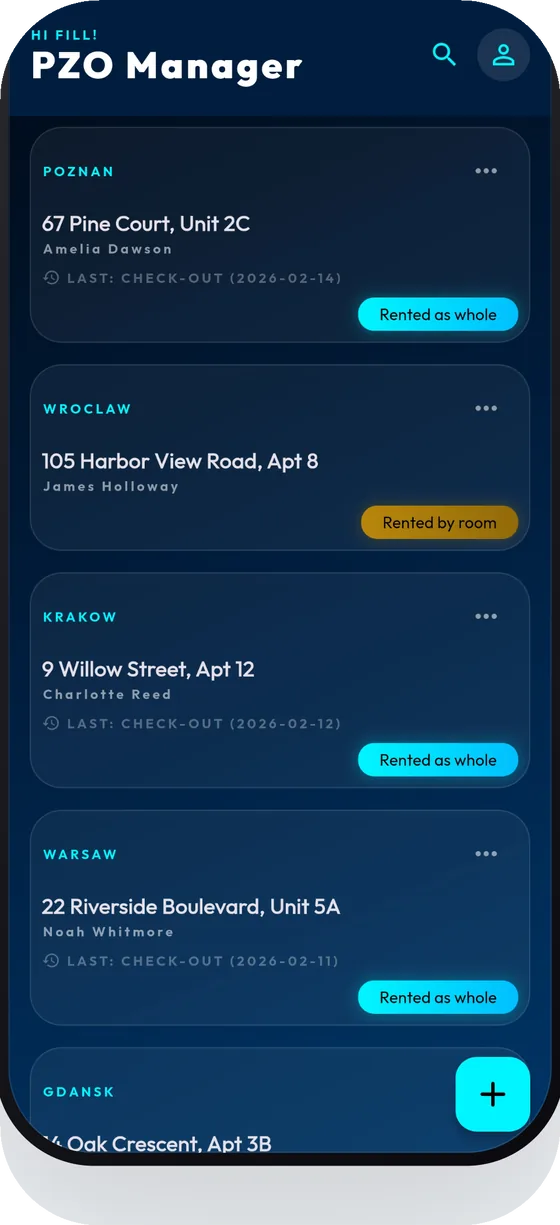
A searchable list of properties, whole-unit or room rentals, and your own room setup.
Protocol comparison
On check-out see how the place looked at check-in and attach the comparison to the PDF.
Reading validation
New meter reading lower than the last one? You get a clear message before the mistake reaches the document.
Weak signal? No problem
The protocol is saved on the phone while photos and data sync in the background once you are back online.
Photos in your gallery
Photos taken with the in-app camera are also saved to the phone’s gallery.
English and Polish
The app comes in two languages and you can generate the PDF in either one.
See it in action
A full protocol in under a minute and a half
A short screen recording: property setup, the protocol step by step and the finished PDF.
For teams
Got employees? Give them access to your property base
With Premium Business you add team members and manage their permissions. Field staff fill in protocols while you keep an overview of the whole archive.
Check it in the store- Team of up to 15 users
- Shared database of properties and protocols
- Permission control on the owner’s side
- Protocol history in one place
Plans
Start for free and grow with your portfolio
Current prices and subscription terms are always shown in the App Store and Google Play.
Free
Start
- Try the app without creating an account
- Properties, protocols and PDFs
- Protocol limit on the free plan
For owners and managers
Premium Individual
- Unlimited properties and protocols
- Professional PDF reports with photos
- E-mail delivery of documents to tenants
- Electronic signature
For companies and teams
Premium Business
- Everything in Premium Individual
- Team access for up to 15 users
- Employee permission controls
FAQ
Frequently asked questions
Do I need an account to try it?
No. You can try the app without creating an account. An account helps when you want to keep your data longer, reach it on another phone or use the Premium plans.
Which devices does PZO Manager run on?
iPhones (App Store) and Android phones (Google Play). The app works in English and Polish.
What if there is no internet in the apartment?
The protocol is saved on the phone, and data and photos sync in the background as soon as the connection returns. The home screen shows how many items are waiting to upload.
What language is the PDF in?
You can generate the document in English or Polish, regardless of the app language.
Can I rent rooms separately?
Yes. For every property you choose whole-unit or room-by-room rental, and protocols can cover specific rooms.
How is my data handled?
Our privacy policy, available in English and Polish, describes the details – including service providers, photos, accounts and diagnostics.

Make your next protocol in 5 minutes, not an hour
Download PZO Manager and walk through your first protocol step by step.